

As a professional retoucher in maternity and portrait photography, I've learned that editing dresses means elegance, softness, and flow. The feel of a fabric in movement, the way it catches light, and how it frames an expecting mother make all the difference in how emotional and timeless a final image will feel. For this example, I'll use a photo of a woman in a flowing royal blue silk gown. It is a perfect illustration of how delicate fabric retouching can transform a good image into a truly polished one.
- Starting with the Raw image. Every retouch starts in Camera Raw or Lightroom. I just double check that the white balance looks natural, and neutral skin tones, as well as a true fabric color, are very important. The blue dress must be rich, not over-saturated. I will lift the shadows slightly to have details without losing the folds and lift highlights a bit on the silk to not lose the texture.
- Reshaping the movement of the fabric. After taking the image into Photoshop, I assess the movement of the dress. Sometimes fabric may not fall even, or if there was wind during the shoot that twisted a fold the wrong way. I will, with the alright texture in silk fabric look, adjust some edges and have a more flowing movement using the Liquify Tool to mold. Subtlety is the key; the fabric has to feel natural and not sculpted. If there are visible creases in the fabric that break the smoothness of the silk, I will also fix that.
- Fabric and background cleanup. I use the Healing Brush tool and Clone Stamp to clean up lint or dust or anything on the gown or the backdrop. I often will also apply a soft gradient and some surface blur on the background, but this is usually studio background, so it stays focused on the gown and the model.
- Enhancing texture and light. Silk reflects light beautifully, but it’s easy to lose depth if the light isn’t consistent. To add depth, I will use the Dodge and Burn technique to brighten highlights along the ripples in the fabric and trim the inside folds a bit. This step gives it back realism and a cinematic effect. I also add a slight vignette to keep the focus on her face and the dress's movement.
- Color and tone harmony. Color grading finishes everything off. I slightly warm the overall tones to help the skin glow but keep the blue gown pure and luxurious. I balance the saturation between the dress and background, so the fabric jumps off the frame but doesn’t steal the softness of the portrait.
- Finishing details. I will finish off the image with sharpening on select areas: eyes, lips, hairline, and select edges of the gown, for a visual hierarchy. Then, I will look back on the overall image zoomed out to ensure it feels cohesive and effortless. A good edit should never be obvious.
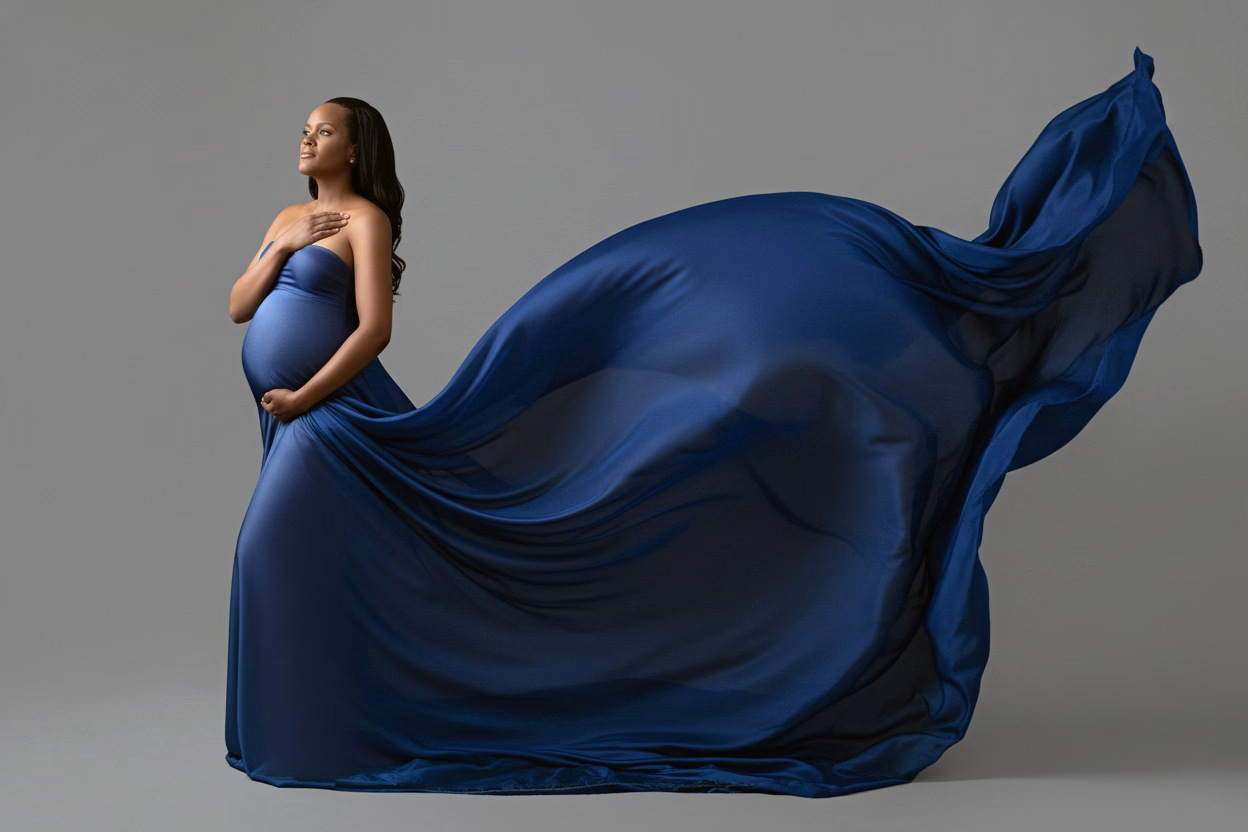
In the "before" image, the gown was somewhat uneven and had minor wrinkles along with flat lighting. After retouching, the fabric cascades smoothly, light dances across the silk, and the background feels calm and balanced. The expectant mother looks radiant, confident, yet serene.
My goal in maternity retouching is to make the image feel as beautiful as the moment itself: polished, warm, and timeless, without losing authenticity. Whether you are a photographer or an expectant mother with a need for professional maternity image editing, which will show even more softness and emotion in your portraits, I would be happy to help bring that vision to life.